Email Cart: A Useful Feature for your Team and Customers
Did you know every DCP site comes with an Email Cart feature? It's already turned on for all clients, so there's nothing to set up. It's a simple tool that makes it easy for shoppers and your team to share a ready-made cart via email or hyperlink.
How It Works
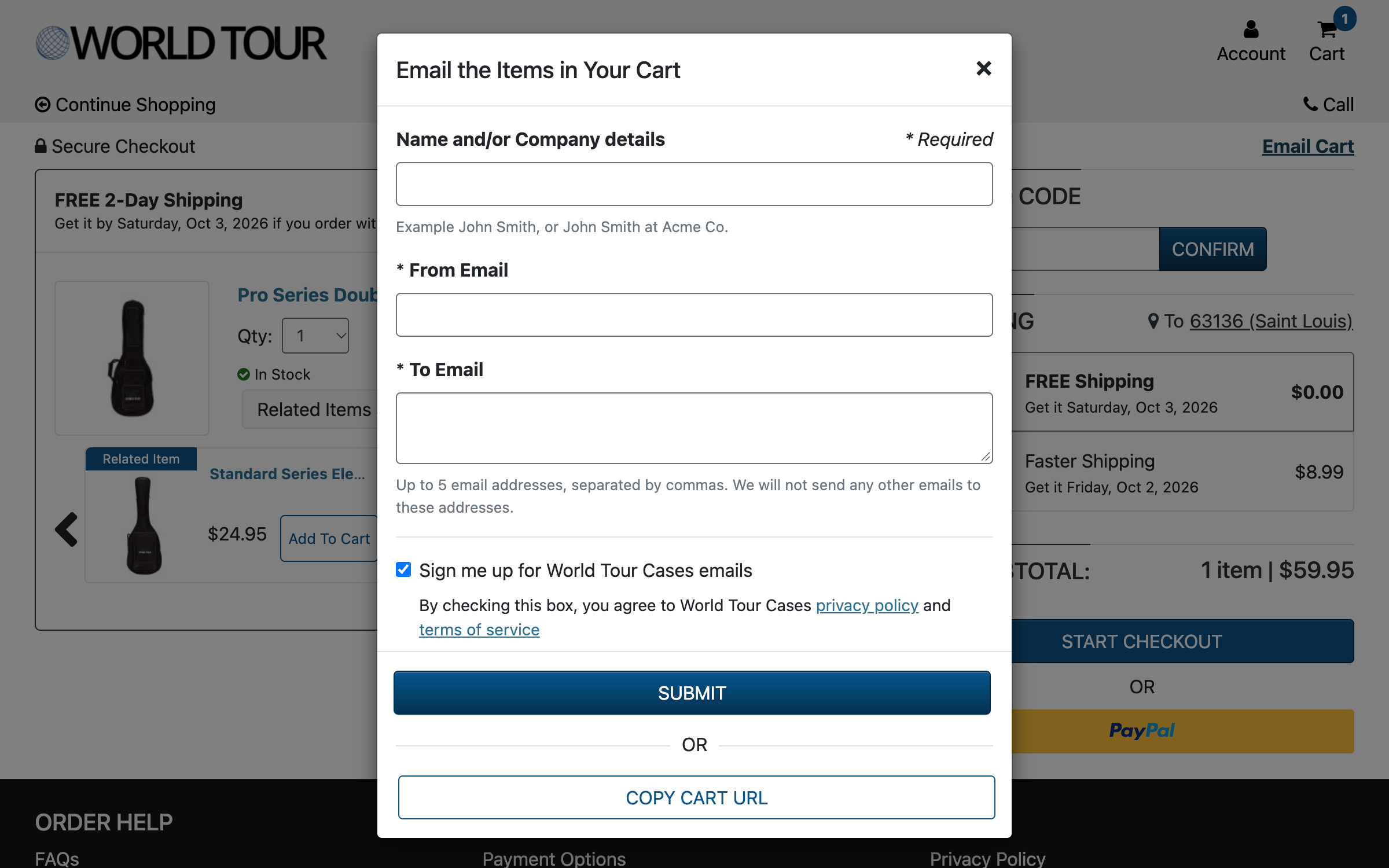
Shoppers can build a cart on your site, then share it right from the shopping cart page.
They can email the cart directly with the following options:
Name or Company
From Email Address
To Email Address
Newsletter Opt-In
Alternatively, they can use the “Copy Cart URL” button to copy a link to the cart and share it however they like.
Who Can Use Email Cart
Customer Situations
Email Cart is a handy way for shoppers to send a gift list to friends or family, share a gear list with a bandmate or collaborator before buying, or save a cart to come back to later.
Customer Service Teams
Your team can use Email Cart when helping customers. They can walk a customer through exactly what they need, build the cart for them, and send it over. That way, the customer doesn't have to write anything down or remember product names. It's especially helpful for technical purchases, like making sure a pedal, power supply, and cables are all compatible. If a customer is unfamiliar with your products and wants to buy a gift for someone else, your team can create the cart for them.
Email Cart Reporting
As always, we want all our features to help you understand customer behavior on your site. Email Cart activity is available through SFTP in the "Email Cart" report. It includes the event type (email sent or cart URL copied), activity date, from email (name and company), newsletter sign-up (true or false), items, cart quantity, and the external item URL for each product page.
Want more information? Reach out to Direct Commerce Platform team member with any questions!