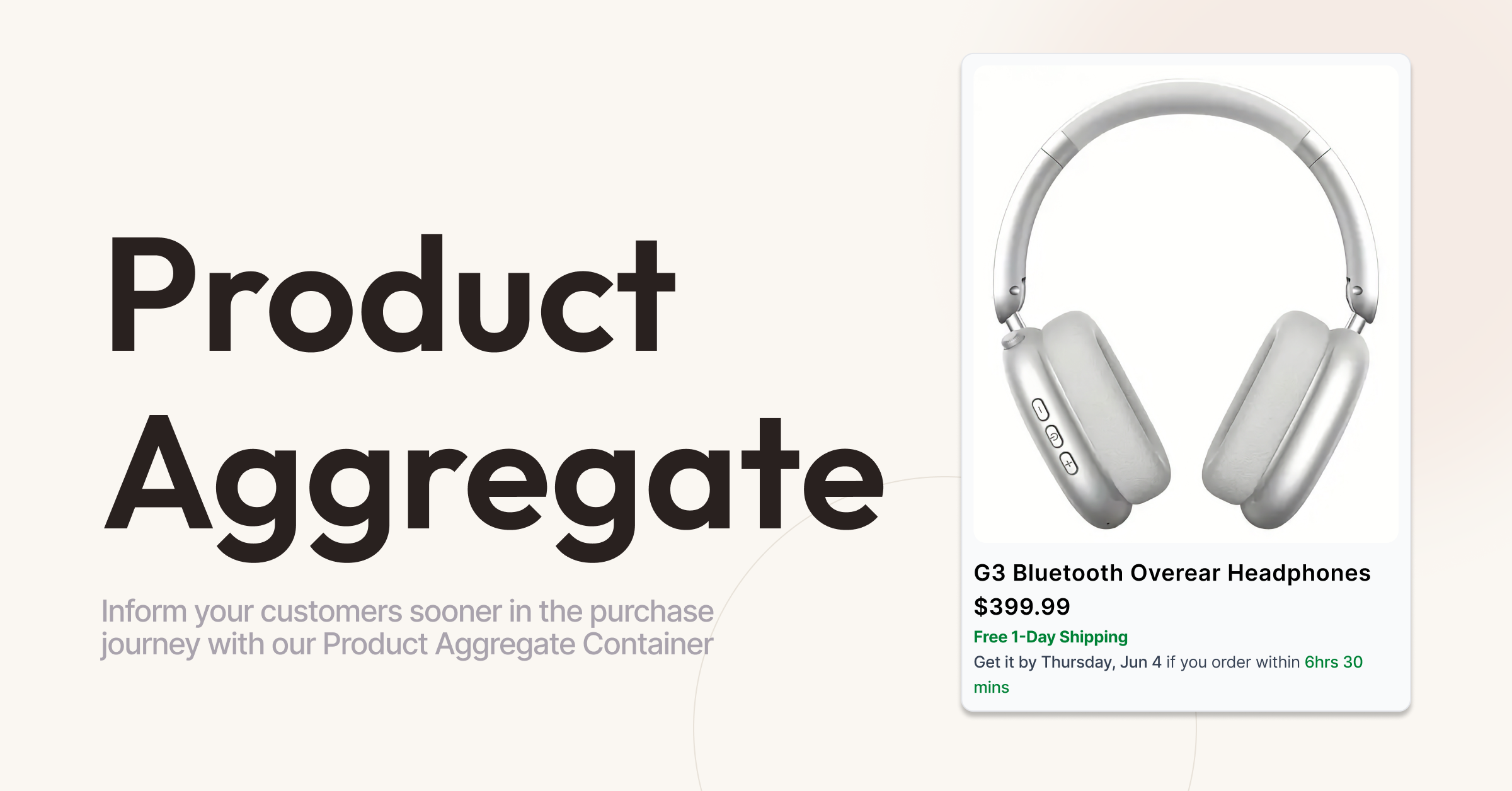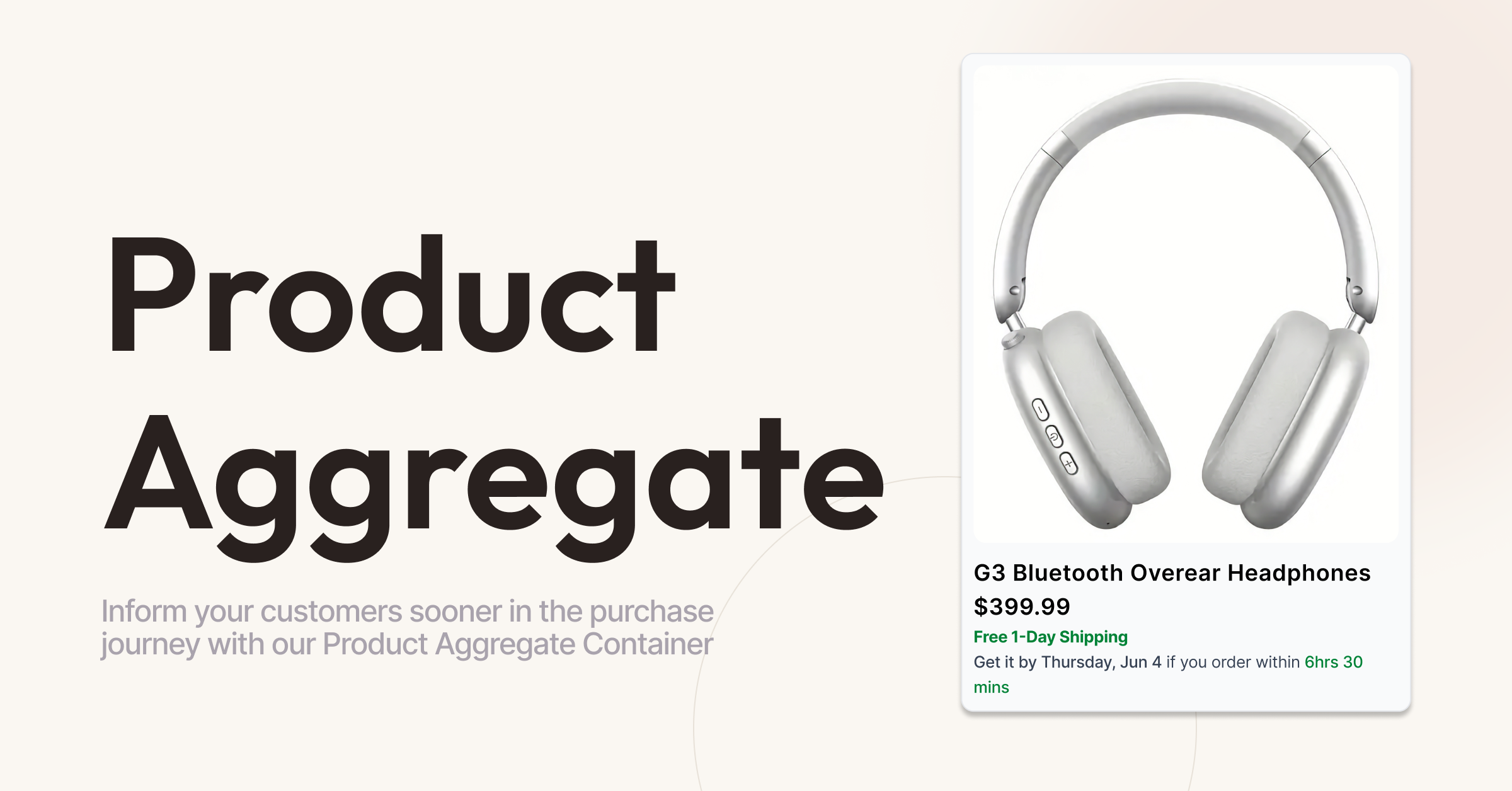
The Direct Commerce Platform’s Product Aggregate Container is a great way to improve user experience and boost conversion by displaying important information like pricing, delivery projections right from your site’s product cards–wherever you’re using them. The Product Aggregate Container can be used to enhance cards on category pages, search results, related item carousels and more.
Make a Good First Impression
Good product page design is important. But a potential customer’s first impression of your catalogue is usually not the product page itself, but the products cards presented on your landing and search result pages. By using the Product Aggregate container, you can give users all the information they want to know before buying up front.
Your Product Cards, Your Way
We strive to make all of our features comprehensive yet customizable. The Product Aggregate Container is no exception, offering a variety of data points and the flexibility to present them in whatever way best fits your shop’s MO.
Go Beyond the Basics
The Product Aggregate container not only displays important fundamental information that shoppers want to know, like pricing and delivery projection, it can also display inventory statuses (pre-order, low stock,etc.,) as well as Affirm messaging for eligible items.
Cover All Your Variants
For products with multiple variants, the container will show the lowest price or range of prices, and always display the fastest possible shipping time across the range of product variants.
Mix, Match, or Go All In
Showing as much information as possible on the product cards isn’t always the best fit for every brand. If it suits your shop better to only show certain data variables in the product cards, you can do so using our Component integration style. When using Component style integration, you can tailor the Product Aggregate Container even further with customizable messaging for all data variable. Those using our Default or Hybrid integration styles are still able to put their own spin on the container with customizable CSS styling.
Want to present more information on your cards, but don’t want to overload your customers as they navigate the site? You can opt to implement the container only in certain key areas of your shop, like category pages, and leave other areas like search results and related item carousels clean and simple.
Pick the Time and Place
One Container, Multiple Arrangements
The Product Aggregate Container can be arranged in a myriad of ways. But don’t just take our word for it–see some example presentations below for a sneak peak at just a few possibilities.
Example 1
A simple minimalist approach, displaying just the fundamental data points.
Price
Delivery Commitment
Delivery Projection
Stock Information
Example 2
An enhanced presentation, showing product variants, altering the display of the delivery messaging and suppressing the stock information
Price Range
Delivery Commitment
Delivery Projection
Variant X
Variant Y
Variant Z
Want more information? Reach out to the DCP team with any questions, and we’ll happily walk you through the details.
Related Articles